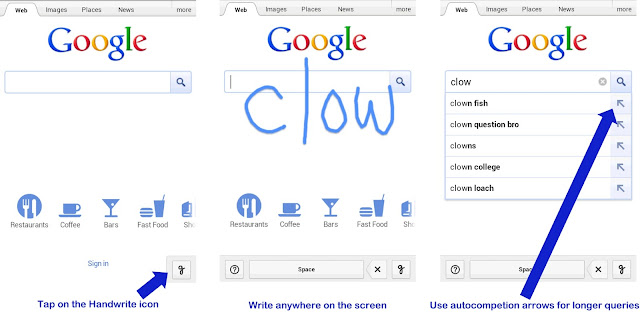
To enable this feature, go to Google.com in your mobile browser and do the following and refresh the browser:
"Go to Google.com in your mobile browser, tap on “Settings” at the bottom of the screen and enable “Handwrite.”



Google Translate Blog: With our most recent update to Google Translate for Android, we’ve added an experimental new input feature: handwriting on your touchscreen.
Maybe you’d like to see if three 木 make a 森, but you don’t have a Japanese keyboard installed? Just use the handwriting icon
Our goal is to break down the language barrier, all the time, everywhere. By adding handwriting input directly into our Android app we hope to help you get translation done even more quickly and easily. Sometimes you don’t know how to say what you want translated, sometimes you can’t type it, and sometimes it’s easier just to write it. We think of handwriting on the touchscreen as another natural input that you may want to use to complement the keyboard, microphone, or camera.